

2·
5 hours agoMac Cmd shortcuts fixed in v1.1.0, just shipped. Thanks for reporting it.
Mac Cmd shortcuts fixed in v1.1.0, just shipped. Thanks for reporting it.
Fixed in v1.1.0
Thanks for all the feedback everyone. Just shipped v1.1.0 based on what was reported here today:
AI is optional, disabled by default, and doesn’t even show in the UI unless you enable it. The app works fully offline with zero AI involvement.
Thanks! No Patreon yet, but I’ll set something up. For now, the best support is feedback and bug reports.
Thanks, appreciate it!
The import dialog warns you to make a backup before running as it modifies files in place. That said, the frontmatter overwrite on just viewing a note is a valid bug. I’ll fix that, notes should only be modified when you actually edit them.
Appreciate the honest feedback, doesn’t come over negatively at all, this is exactly what helps improve the app.
HelixNotes isn’t trying to be a replacement for Obsidian. It was a replacement for Obsidian for me, but different people have different needs. Thanks for taking the time.
No, completely separate project. Just a coincidence in naming.
Great feedback.
If you end up trying it and want to contribute, open issues on Codeberg for what you’d like to see. Contributions are very welcome.
Really appreciate the detailed feedback.
You’re right about the Mac shortcuts - Cmd should replace Ctrl on macOS. That’s a bug, I’ll fix it.
As for the frontmatter - Jayjader is correct, it’s standard markdown frontmatter. It’s how HelixNotes tracks metadata without using a database or sidecar files. Moving it to the bottom would break compatibility with every other markdown tool that reads frontmatter. But I understand it’s not pretty in a plain preview - that’s the tradeoff for keeping everything in plain .md files with no hidden database.
Glad you’re enjoying it. Keep the feedback coming, this is exactly what helps improve the app.
Thanks! Latency was one of the main reasons I went with Tauri instead of Electron. HelixNotes launches instantly and stays light. Give it a try.
Not at this stage. It’s something I’m considering but the priority is getting the core experience right first.
Different use case. HelixNotes is for people who want a clean, simple note-taking app that works out of the box - not a customizable text processing pipeline. If Vim snippets work for you, stick with that. Not every tool needs to be for everyone.
Good question. “No sync” means no built-in cloud sync - not that sync is impossible. Your notes are plain .md files in a folder, so you can sync them with Syncthing, Nextcloud, rsync, Git, or anything else you already use. The app watches the filesystem for external changes and picks them up automatically.
The philosophy is: I don’t decide where your files go. You do.
As for contributions - absolutely welcome. PRs won’t be rejected on principle. If you want to work on a self-hosted sync feature, open an issue on Codeberg and let’s discuss the approach first. I’d love to see it.
Give HelixNotes a try :)
Correct, this has nothing to do with the helix TUI text editor in any way.
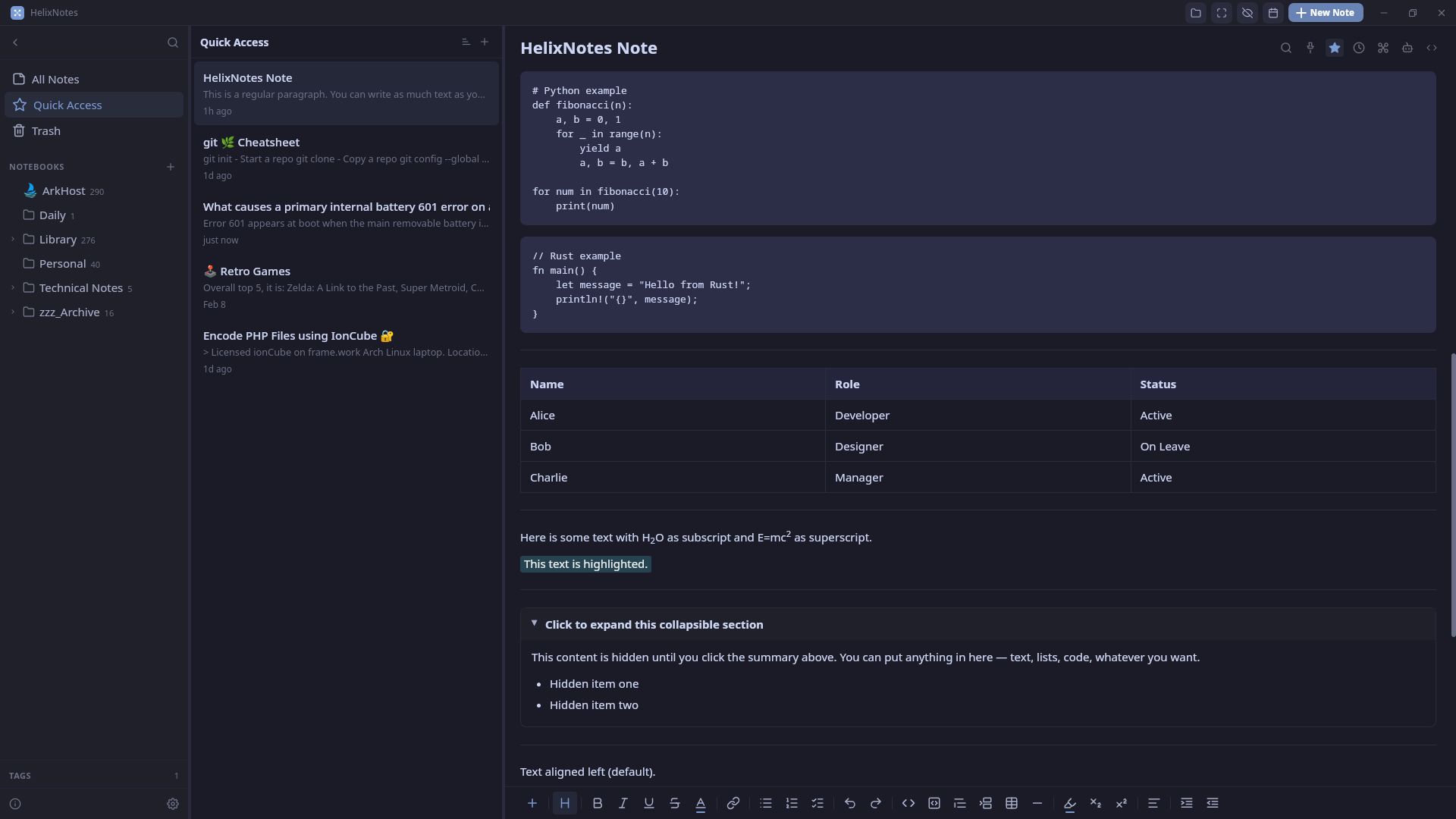
Obsidian’s default editor is barebones, you need plugins to get a usable experience. HelixNotes gives you rich editing out of the box: formatting toolbar, slash commands, source mode toggle. No setup. It’s also not Electron. Rust + Tauri 2.0 & Svelte fraction of the RAM, launches instantly. Same philosophy though: local .md files, no cloud, no lock-in. If Obsidian works for you, no reason to switch.