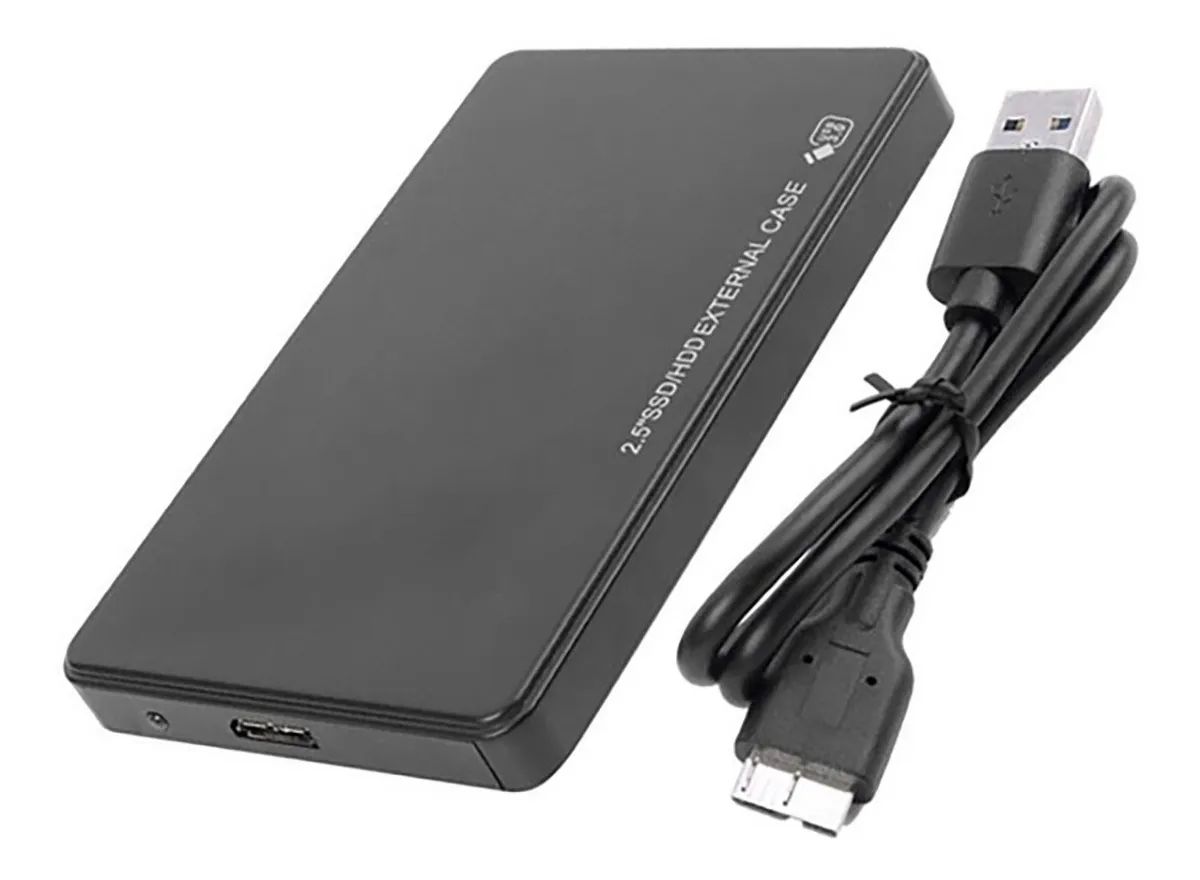
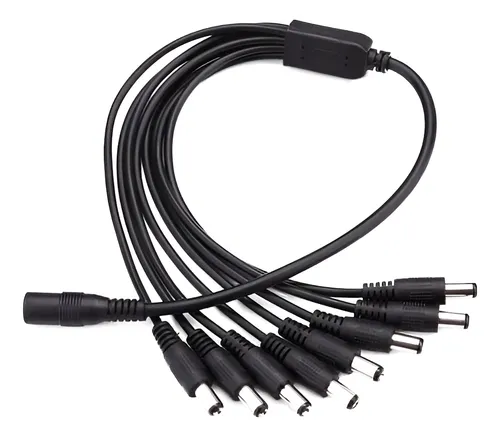
Before you scream at your screen, I am aware this setup isn’t ideal, to say the least, my Self-hosting has been composed of a laptop with a usb carry with a 2.5 1tb hard drive. I recent made up my mind about getting a couple 4 tb server hdd (heard barracuda are relatively silent) to run software raid 1, since I can’t find a budget double bay carry (that I can purchase locally) I’ve decided I’ll get a couple 3.5 inch usb cases and get a splitter to run the power from just just one brick.
My question is regarding resiliency, I get occasional blackouts and low tension every now and then, a few times a year but it can be a few times in a day. I’ve never had hardware dying because of it and I don’t have a UPS, but I worry I could be risking data corruption or something swapping to this setup because of the extra power those drives will need being fed from the wall instead of the laptop (the laptop feeds the current drive over usb alone and it has a battery) which could be abruptly cut off every now and then. Right now, the worst this has caused has been having to reboot the system because it got unmounted but never had a loss of data from this.
Am I worrying for nothing? Would it be just the same? Should I just put this off until (if) I can afford the drives plus a ups? So far I’ve had my server for basically free, but I’m running out of space for family photos and I kinda have to upgrade.
Edit: Thanks a lot for all the thoughtful responses! What I’ve learnt from them so far:
- ZFS (what’s used for software RAID) takes some extra memory and might not be the best idea for a memory constrained system.
- In this case of mirrored drives, it’s better to schedule backups than to try a flimsy raid array usb abomination, didn’t even think of that as an option
- Sudden power loss is likely to corrupt files
- Following the previous item, a UPS is more important than I thought, my laptop’s battery probably saved me from more corruption than I was aware of. I might have to prioritize that over the expansion.
Learned a lot so far, thank you all so much!
You SHOULD NOT do software RAID with hard drives in separate external USB enclosures.
There will be absolutely no practical benefit to this setup, and it will just create risk of transcription errors between the mirrored drives due to any kind of problems with the USB connections, plus traffic overhead as the drives constantly update their mirroring. You will kill your USB controller, and/or the IO boards in the enclosures. It will be needlessly slow and not very fault-tolerant.
If this hardware setup is really your best option, what you should do is use 1 of the drives as the active primary for the server, and push backups to the other drive (with a properly configured backup application, not RAID mirroring). That way each drive is fully independent from the other, and the backup drive is not dependent on anything else. This will give you the best possible redundancy with this hardware.
Do not split a RAID array across drives in separate USB enclosures.
Doing RAID on USB drives is alright, as long as they’re all in the same enclosure and use a single USB interface. If you split an array between drives with separate USB interfaces, you will face corruption and rebuild issues when one of the controllers has a hiccup or comes up slower/faster than the other, which WILL happen. If you need to run a RAID array on USB-connected drives, use a 2-bay USB-connected DAS. I’ve used the QNAP TR-002 in the past, it works fine, just set it to individual mode.
The better option since we’re just talking about a mirror, is to run on one drive primarily, and occasionally sync your data to the other for a backup.
Abrubt power off shouldn’t damage the drives, but it can absolutely corrupt files that are being written, and even entirely delete things in the write cache.
Yes when it comes to RAID, a UPS is a must.
Linux MDADM is not resiliency against power lose. And will overwrite from master if they are not equal.
Cow system ZFS, LVM, BTRFS and similar, have separate metadata table to compare against. But even then they can be affected by write hole in the event of a powerloss.
If you are thinking it for “backup” for redundancy in case of disc error, a solution can be to use something like borg backup, and a source disk as a BTRFS file system so you can be notified if there is checksum errors.
A cheap UPS is 60€, it will work good enough.
You’re not worrying for nothing. Losing wall power will shut down the drives and as usb-cradle is generally slower than “proper” drive bus it’s more likely that some write operation is going on when power is lost and that’ll potentially cause data corruption. Obviously not every power outage will cause issues, but I’d say it’s a higher risk with USB-drives than with drives on a SATA/m.2 bus.
But no matter what your setup is, raid is not a backup. All kinds of things can happen which cause loss of data and you should plan accordingly. If all you have is two drives on usb-cradles I might choose to use one of them as a offline backup disk and one for ‘live’ data so that it’s more likely that at least one of the drives is functional even after power issues or whatever, but that approach has it’s own problems too.
Do you have backups? You mentioned family photos, so I hope so. If yes, have you tested them? Remember, RAID (or RAID-adjacent) is not a backup.
What filesystem are you using at the moment?
Questions aside, since you have precious photos and are using RAID, I would absolutely get a UPS. This will save you a lot of pain in the future, and you can continue to use it while you wait to upgrade. You can find them for relatively cheap on ebay, just make sure whatever you get has a new battery (frequently listed as “NEW BATT” or similar). Bonus points for a USB connection to gracefully shut down your raid array, protecting it from getting corrupted.
For the drives themselves, even if you aren’t shucking them yet (shucking meaning taking external drives out of their cases to put into a server), I would use https://shucks.top/ to find the best deals per TB. This comes with the upside of allowing you to shuck them in the future if you get a proper enclosure or chassis, and you don’t have to buy an extra case. Interestingly, external drives (like those listed on the website above) are generally cheaper than naked drives, especially when priced per TB. If you want to avoid shucking entirely, you can pick up DC rated drives for relatively good prices on https://serverpartdeals.com/
The three main concerns with this setup, in my opinion, are power, heat, and speed. With raid, you’ll want the UPS as discussed, which covers the power issue. Since they’ll be in cases, it’s definitely possible they’ll heat up quickly, especially if you ever have to do a data rebuild or otherwise hammer them with lots of writes. As long as you’re able to keep them below 55-60C during those operations, you should be fine, but it’s something you’ll want to keep an eye on. Speed, meanwhile, won’t impact too much but you’ll probably notice some slow writes compared to having a drive over SATA. Rebuilds will be pretty slow.
Apologies if that was kind of rambling. I’ve been a
data hoarderarchivist for over a decade. I’ve gone through several iterations of NAS and learned some hard lessons along the way. I encourage you to keep thinking about how to best secure your data from loss; it’s good to ask questions like this.Thanks, I have my important files manually backed up every now and then on two different drives in my desktop, this idea is part of moving away from stressing so much and I’m probably going to abandon the raid idea for the near future and instead do scheduled backups (and maybe checkups?). I’ll keep in mind all that stuff about temps too when I do get an oportunity to make a suitable raid array build (without individual usb controllers between the drives and the server).
I have checked my data recently, haven’t found any issues. I appreciate all the info and help!
Remember, RAID (or RAID-adjacent) is not a backup.
This. So much this. OP please listen to and understand this.
Even with full mirroring in RAID 1, it’s not a backup. Using the second drive as an independent backup would be so much better than RAID.
I would highly suggest a UPS. I use random external hard drives without RAID as part of my media setup. The electric went out overnight last year. I knew it had happened as my oven was flashing. The server restarted itself so thought everything was fine.
Then some things were glitchy and it took me a few days to release one of the drives was not mounting. Luckily I did not lose the data but it still took a while to fix. It takes even longer to restore a backup.
To mainly save myself time and effort, I bought a basic UPS with 2 plugs. It keeps the server and main router on for 15 minutes but I’ve set it up to send a command to shut down asap just in case. My server seems to automatically switch on when power comes back so not had any issues since.
I’m running ZFS mirror on Ubuntu on a USFF machine with 2 external USB 2.5’’ drives. I do weekly scrubs, never lost any data even during power loss. Some of the 2.5’’ USB drivers are crap, I had to replace drive 2 times over last 5 years - while one of the drives is with me since the beginning.
I would say that a lot of people over-secure their local home file storage. If you use filesystem (or software) that does checksumming, your home data will be safe. Yeah, in case of power loss you may lose like 2s of last writes on ext4, and that won’t matter much for majority of people because it’s not like it’s your company’s only copy of internal data.
Totally not the answer you were here for, but you could likely upgrade your setup by reaching out to your local school district and asking if you can loot their e-waste. They’ll want to keep any storage because it may contain sensitive data, but all the rest of the hardware is free for the pickings. My son’s pc, my server, and my two projectors all came from an e-waste crate at the local school district office.
Get a used UPS and replace the battery (with a non genuine one), and use ZFS and you should be good. You could also replace the laptop battery though.