

2·
1 month agoDoes P for Proton count?
Does P for Proton count?

I have serve-web running as a service, but that only works well on desktop screen layouts — from my experience, it runs terribly on mobile. However, even then, my tab layout isn’t synced between devices. My tmux saves all of my open projects, so I could throw my phone in a woodchipper at any moment, pull out my laptop, and be exactly where I left off. Good luck doing that with vscode.
I can run Neovim on my phone via Termux. I can run Neovim over SSH. I can run Neovim in tmux. That’s not possible with VSCode.
The Roblox mobile build isn’t really just mobile, and afaict has no issues that Windows Roblox doesn’t have.
It is, but the patch that prevents you picking it up only applies to physically lifting it. The devs forgot about other methods of moving objects.
Mint where?
Error correction is always used, in case the QR code is damaged in a way that leaves a valid-looking QR code. In this case, it likely fixed any accidental misstitches. I don’t know how to check how much was used, but thanks for the afternoon project!
cat cat in cat cat cat is legal Bash if cat and in exist, "cat cat" in "cat cat cat" is Python.
Some people don’t know how to properly DNS, and IIRC some smaller DNS services don’t support CNAMEing the root.

Interesting how ARPA net (the internet) was build to with stand these issues, but companies like Microsoft and Amazon (and no regulation) have completely reversed it’s original intent.
TIL, thanks
Moths have fur?

/ra[cp]ist/

189cbca refactor
425b7de increased bullshitry levels
33bc72d works on my machine
f5fe8ed who the fuck cares
112e7ff probably did more shit
c02191c updater cool factor

♪ It’s the ciiircle of shiiiiiiiit ♪

Simple; take a picture of yourself to hold a circular reference.
Emergency backup Riker deployed!

C’mon — you’re @programming.dev. You’re supposed to know why this is bad.
Nix has flakes; nix run can contain pretty much all of the needed dependencies. If that’s not enough, you can set up an entire container as a module.





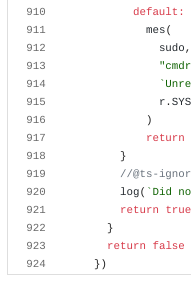
Based on your quite, this is a use-after-free, meaning that despite Firefox marking the memory region as free to be reallocated, it continues to use the memory. This is dangerous as an attacker may be able to allocate in that region, leetting them change the old structure’s values.